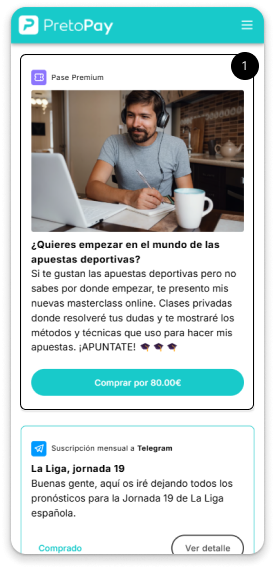
When you purchase a premium pass, you will receive a code (token) that you can redeem with the seller to receive the product or service offered.
Step 02
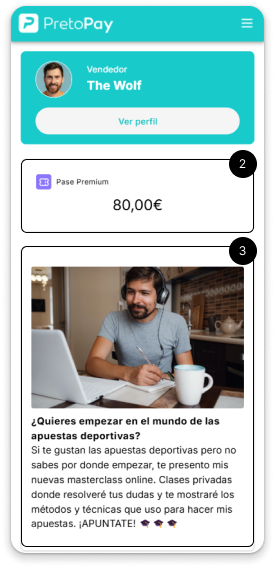
You will see the type of product and its price.
You will also be able to see the product's public information and the multimedia elements it contains.
Step 03
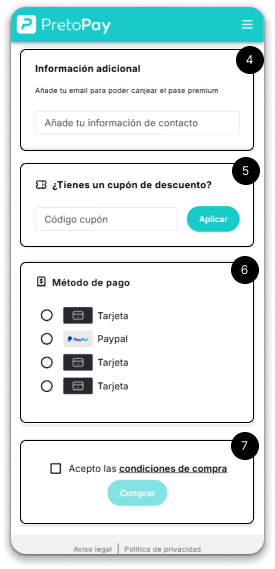
The seller may ask you for a phone number or email address to contact you.
If you have a discount coupon, enter the code in the corresponding field and click “Apply”.
Choose your preferred payment method.
Accept the terms of purchase to continue with the process.
Step 04
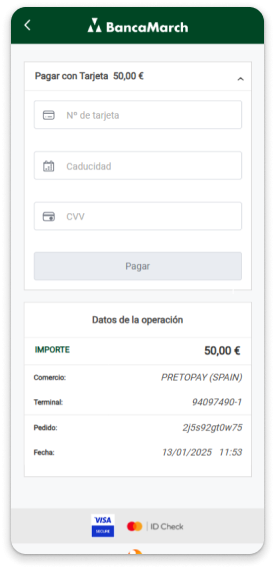
Fill in the requested fields and click the “Checkout” button.
Step 05
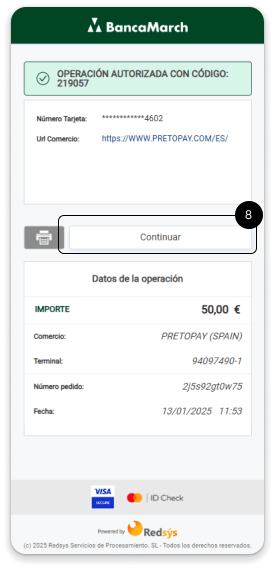
Once the purchase is completed, just click the “Continue” button to return to PretoPay.
Step 06
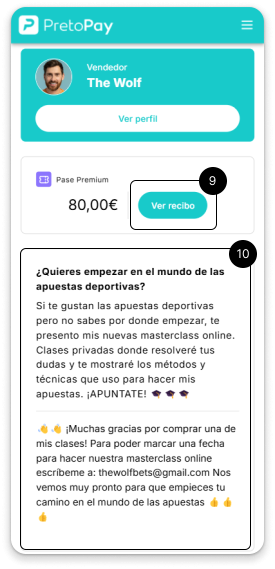
From this button, you will be able to request a receipt for your purchase.
Now you will be able to see the private content of the product.
Here you will find how to contact the merchant to redeem your token (code).
Step 07
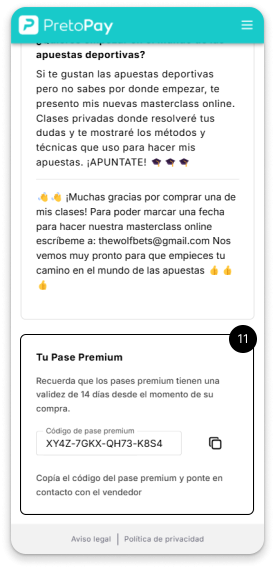
Here you will see the code you need to redeem with the seller.
If the seller asked you for your phone number or email during product creation, he will contact you. If not, please refer to the product description for contact information.