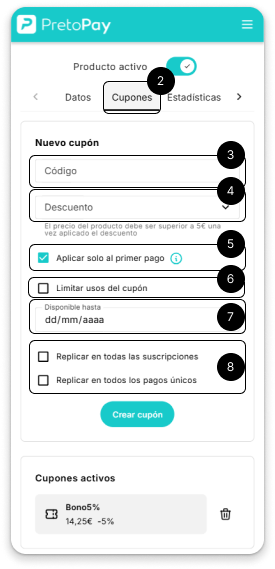
Select the “Coupons” tab in the product configuration.
Write the code that your users will have to enter during checkout to apply the discount.
Use the dropdown to choose the % discount you want to apply.
If you want the coupon to apply only to the first payment of the subscription, enable this option. It will not apply to renewals or future payments.
Activate this option and you can set a maximum number of uses to control how many times they can be applied by users.
Select the date until which the coupon will be valid.
By default, the coupon will only affect the current product, but you can make it valid for other products by checking the corresponding checkboxes.
Step 02
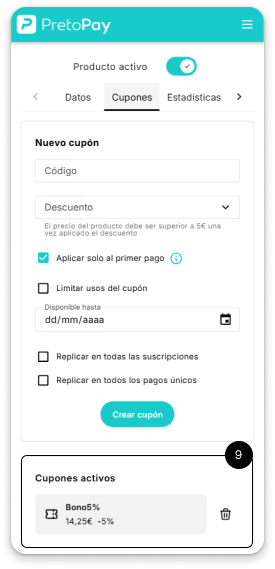
Once created, the coupon will appear in the coupon list, where you can see:
✅ The coupon code. ✅ The discount percentage ✅ Options to delete it if you no longer need it. That’s it! Now you can offer personalized discounts to your customers! 🎉
If you need more information, check out our support section or contact us. 😊